| agneli | anybody remembers when we discussed the Sony Playstation Classic sbc? | 07:11 |
|---|---|---|
| agneli | looks like somebody is working on full fledged linux for it | 07:11 |
| agneli | https://github.com/donluca/PSClassic-Debian | 07:11 |
| agneli | seems there are even schematics avaliable... | 07:13 |
| agneli | https://modmyclassic.com/wiki/index.php?title=PlayStation_Classic#Mainboard | 07:13 |
| gnarface | heh, nice | 07:27 |
| gnarface | say, you happen to have any ideas for installing linux on one of those old ASUS optimus/transformer tablets? | 07:27 |
| gnarface | all the info online about them only refers to the Intel model, but i seem to have come into possession of a rare one with an actual ARM cpu instead, but none of the linux tutorials online even mention it | 07:28 |
| agneli | what is the SoC you are talking about please? | 07:38 |
| agneli | isn't that nVidia Tegra 2/3 by any chance? | 07:39 |
| agneli | as far as I know procedure is simple: | 07:39 |
| agneli | 1. does uboot supports the SoC | 07:39 |
| agneli | 2. does the mainline kernel support the SoC :) | 07:40 |
| agneli | then it might work... with most probably minor issues... | 07:40 |
| agneli | for example soemthimes in those devices sertain native SoC functionalities are not used in favor of some additional chips... | 07:41 |
| agneli | anyway... if that is tegra then I am the right person to contact :P | 07:44 |
| agneli | Ach there were both tegra 2 and tegra 3 models | 07:46 |
| agneli | https://github.com/grate-driver/linux | 07:47 |
| agneli | this is all that is there atm | 07:47 |
| agneli | so ur thing is more (tegra 2) or less (Tegra 3) similar to my paz00 thing | 07:48 |
| agneli | https://en.wikipedia.org/wiki/Toshiba_AC100 | 07:48 |
| gnarface | hmmm, i'll have to check | 08:07 |
| gnarface | i think it's Tegra or similar... | 08:07 |
| gnarface | i thought i found some more specific info somewhere, but i have to find it again | 08:08 |
| gnarface | the issue i have run into might be before that though | 08:08 |
| gnarface | see, the previous user handed it over to me after following some built-in procedure for trading the device away that is supposed to do a factory reset and purge of all data | 08:09 |
| gnarface | except then i thought i'd have an unlocked bootloader and i'd just be able to boot something with u-boot | 08:09 |
| gnarface | and that's what the Intel Atom versions seemed to suggest too | 08:09 |
| gnarface | (only that i wouldn't need u-boot, it'd just boot a regular i386 linux image) | 08:09 |
| gnarface | what i have instead though, appears to be a blank prompt to start the Android installation procedure over.... which i assume will not work now because it's too damned old for the current Android version and whatever server it was hosted on probably isn't even online anymore | 08:10 |
| gnarface | so i think that's where i hit a roadblock | 08:11 |
| gnarface | and i wasn't sure if the appropriate approach was to proceed to try to get Android back on it so i could root it from inside a stock Android install, or if there was some hardware bypass i was missing because it was just not the same as the Intel version's | 08:11 |
| gnarface | and the only guides i could find were for the Intel version | 08:12 |
| gnarface | i tried to cobble together some understanding of the procedure from guides for other ARM based Android devices, and all evidence seemed to point to the conclusion that i missed the boat and would have had to complete a Android install before i could actually unlock the bootloader | 08:14 |
| gnarface | ... which doesn't seem to be possible anymore | 08:14 |
| gnarface | but i'm hoping i missed something | 08:14 |
| gnarface | hmm, yea, that's where i was at, i couldn't actually get it to boot anything from microsd, but i wasn't sure if it was because i needed to install android to unlock the bootloader first or if i was just doing something else wrong | 09:33 |
| gnarface | and then i think i failed at trying to install android, i can't remember why exactly | 09:33 |
| gnarface | (apologies to anyone who already read those last two lines in #devuan) | 09:33 |
| agneli | ok | 09:58 |
| agneli | i do not think bootloader is really locked there | 09:58 |
| agneli | it would help a bit if you provide he exact model | 09:59 |
| agneli | you jus tneed to put that devide into this developer or whatever mode | 09:59 |
| agneli | there should be a combination of keys while booting | 09:59 |
| agneli | for me it is ctrl+esc | 10:02 |
| agneli | and then you can use whatever you want to boot your device | 10:02 |
| agneli | i tend to use tegrarcm | 10:02 |
| agneli | but tere are nvflash and other things | 10:03 |
| agneli | whatever you find here: https://ac100.grandou.net | 10:03 |
| agneli | should be relevant to your device | 10:03 |
| agneli | with the exception of some hw differences | 10:03 |
| agneli | lilke sound | 10:04 |
| onefang | Ah I missed the first agneli post about Linux on Playstation. Was asleep. I'll just mention that I own the very first PS3 that was sold in the world with Linux pre-installed, coz I worked for the company that did that. Off topic though, since it wasn't ARM. But I got bragging rights. B-) | 10:39 |
| agneli | :) | 11:25 |
| agneli | PS 1 Classic is arm :) it is kinda nice sbc in the performance range of RPi 3 I believe | 11:25 |
| gnarface | agneli: so, yea, if you're right about that and the bootloader is unlocked and i just have to know the right keyboard shortcut, that would be great | 11:42 |
| agneli | just give me the exact model pls ;) | 11:42 |
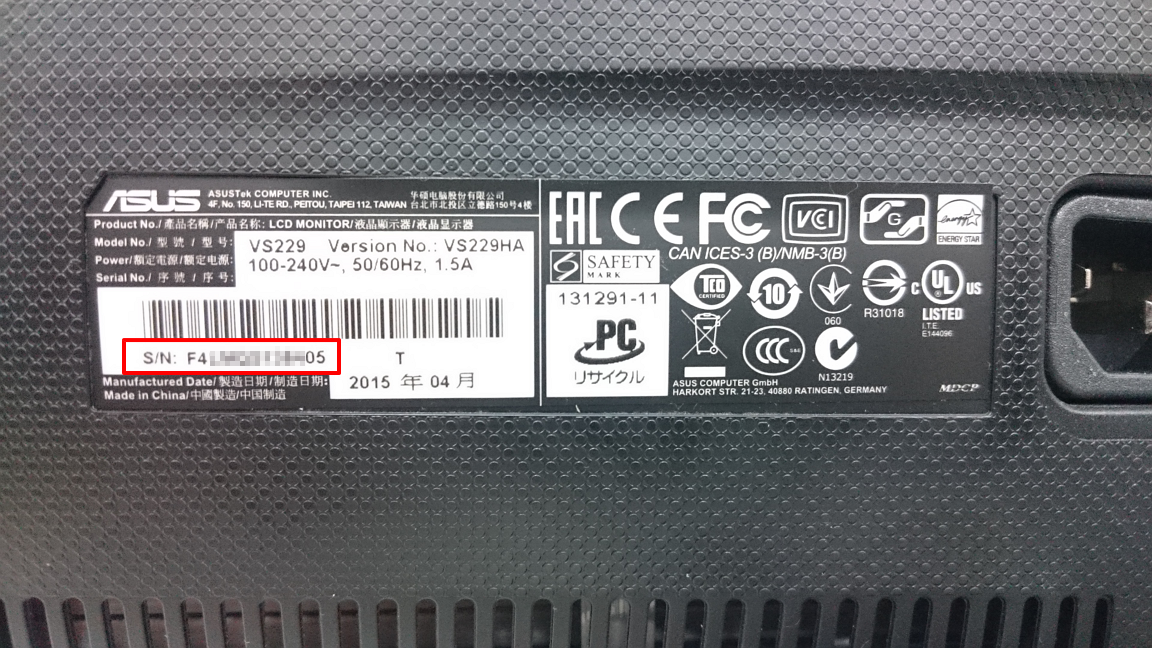
| gnarface | is it printed on the device somewhere? | 11:42 |
| agneli | no serial, part number sticker? | 11:43 |
| agneli | this is a 2 in 1 device, right? with detachable keboard? | 11:43 |
| agneli | should be under the keyboard I guess... | 11:43 |
| agneli | i mean the bottom of the keyboard | 11:44 |
| agneli | https://en.wikipedia.org/wiki/Asus_Eee_Pad_Transformer_TF101 | 11:47 |
| agneli | looks like yours? | 11:47 |
| gnarface | yea, that's what it looks like | 11:48 |
| gnarface | detachable keyboard | 11:48 |
| agneli | this is the only one with tegra 2 | 11:49 |
| agneli | for tegra 3 it seems there are like 2 or more of them (2in1, as there is also a tablet...) | 11:49 |
| agneli | look under the keyboard please | 11:49 |
| agneli | there should be the info | 11:49 |
| gnarface | i'd have to disassemble it? | 11:50 |
| agneli | no of course not | 11:51 |
| agneli | just look at the bottom side of your device | 11:51 |
| agneli | and there is one based on Tegra 4... | 11:51 |
| gnarface | i don't see any print obviously presented anywhere on it | 11:52 |
| gnarface | other than "ASUS" on the back of the screen | 11:52 |
| agneli | https://www.asus.com/support/images/upload/file/20180705105402721_1LCD%E5%A4%96%E8%A7%80%E5%9E%8B%E8%99%9F%E5%BA%8F%E8%99%9F.png | 11:53 |
| gnarface | what i remember is that it was the first model they released, they had a Intel Atom version and a ARM version, so i recommended the ARM version | 11:53 |
| gnarface | no such thing | 11:53 |
| agneli | first model is TF101 | 11:53 |
| gnarface | no such label on this device... maybe on the charger?.... | 11:53 |
| agneli | nah, should be on the device | 11:54 |
| agneli | I have never ever seen one without such a sticker | 11:54 |
| agneli | maybe it got lost for some reason... very very strange | 11:54 |
| gnarface | hmm | 11:55 |
| gnarface | well, one thing that might be related, and also part of where i hit the roadblock | 11:56 |
| gnarface | do you know if the keyboard needs to be "paired" with it specially? | 11:56 |
| gnarface | see, this device was purchased without the keyboard | 11:56 |
| gnarface | as it was optional and the user didn't like it | 11:56 |
| gnarface | so, years later when i inherit the device back, i get a used keyboard on ebay | 11:56 |
| agneli | oh... that means that to put it into booloader mode we would need to press sth else than the keyboard... | 11:57 |
| gnarface | (i think because i had realized i'd need to have one to access the bootloader) | 11:57 |
| gnarface | so, yea, so the Android install got wiped before i got the keyboard | 11:57 |
| agneli | i have no idea gnarface, i hever had this thing | 11:57 |
| agneli | i suggest downloading the manual and rtfming :) | 11:57 |
| gnarface | and i do remember wondering if the issue was that i needed to have paired the keybaord before that happened | 11:57 |
| gnarface | i don't recall finding anything that resembled a useful manual, but i'll check again | 11:58 |
| agneli | i do not believe pairing is needed though... i think all you need to do is to slide the tablet part into the keyboard, there is kind of a "holder" | 11:58 |
| agneli | this is for the original keyboard | 11:58 |
| gnarface | yea, it latches in place and all | 11:58 |
| gnarface | but otherwise is suspect | 11:58 |
| gnarface | no stickers on it, but it does look like someone carved a * on it with a knife in anger | 11:59 |
| * agneli is envious a bit... | 12:00 | |
| agneli | you do have 1 GiB of RAM | 12:00 |
| * agneli has only 512 MiB :( | 12:01 | |
| gnarface | heh, well it's nothing to be jealous of if i can't get it working | 12:01 |
| gnarface | i had been struggling with this at some point before you showed up here and then forgot, so i'm not even sure at this point the batteries will even work anymore on the thing | 12:02 |
| gnarface | what happened was, my pinebook finally showed up and i got distracted with that | 12:02 |
| agneli | the only thing that stops us is the combination of keys to press | 12:03 |
| agneli | to be able to load bootloader via microsd port of your device | 12:03 |
| agneli | that is all | 12:03 |
| agneli | it is supported | 12:03 |
| agneli | plug it then and let the batteries charge a bit | 12:04 |
| gnarface | yea, i guess i'll try that again | 12:04 |
| agneli | https://dlcdnets.asus.com/pub/ASUS/EeePAD/TF101G/e6640_TF101G_Manual.pdf | 12:05 |
| gnarface | i think i had some concern that without Android installed, it wasn't charging the keyboard though | 12:05 |
| agneli | here you go with the manual | 12:05 |
| gnarface | do you happen to know if it can charge the keyboard without Android? | 12:05 |
| gnarface | or, while off, for that matter? | 12:05 |
| gnarface | cd | 12:06 |
| gnarface | woops, wrong window :) | 12:06 |
| agneli | idk but surely the above link will tell you everything that needs to be known | 12:06 |
| gnarface | alright | 12:06 |
| gnarface | i seem to remember it telling me how to boot android on the first try and assuring me that android would take it from there, but maybe i just dreamed that | 12:07 |
| gnarface | asus manuals are normally good | 12:08 |
| agneli | https://ac100.grandou.net/doku.php?id=backups | 12:09 |
| agneli | whatever state you android is it is better to have backups ;) | 12:10 |
| agneli | procedure will be identical | 12:10 |
| agneli | https://droidrecovery.com/asus-eee-pad-transformer-tf101-recovery-mode/ | 12:12 |
| agneli | seems there is more of android shit in this device than in ac100 | 12:13 |
| agneli | but anyway: | 12:13 |
| agneli | 1. make backups, above procedure should be more or less OK | 12:13 |
| agneli | 2. compile u-boot for that device | 12:14 |
| agneli | ech first problem, I am not able to provide defconfig for u-boot | 12:27 |
| agneli | as we need to know the version | 12:27 |
| agneli | https://xdaforums.com/t/how-to-find-my-sbk-version.1643002/ | 12:32 |
| agneli | this is how you find the sbk version of your device | 12:33 |
| agneli | even if it is bricked | 12:33 |
| agneli | once we have that information, we want sbkv1... we could proceed to: | 12:39 |
| agneli | https://github.com/antonialoytorrens/TF101-linux-images/blob/master/README.md | 12:39 |
| agneli | once postmarket is working everythign is possible I guess :) | 12:39 |
| agneli | also gnarface maybe to stop spamming on unrelated topic on the main chat we should move to pw mode or create a separate channel :) | 12:46 |
Generated by irclog2html.py 2.17.0 by Marius Gedminas - find it at https://mg.pov.lt/irclog2html/!